
 Table of Contents
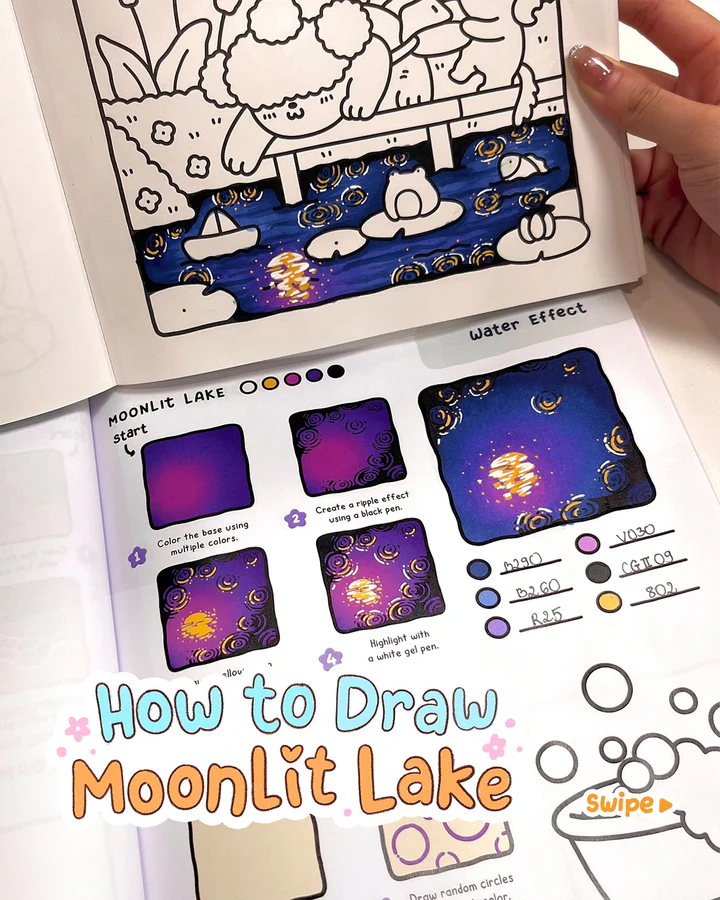
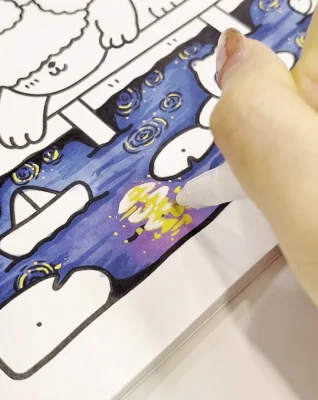
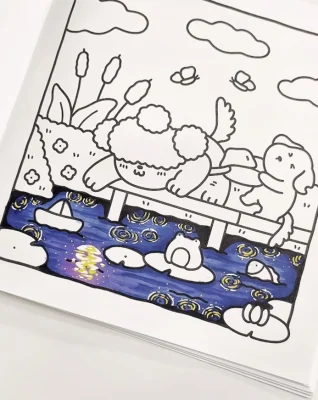
A silver moon casts its glow on the lake, creating a dance of light and shadow. 🌕✨
Here’s one of the many ways to create moonlit lakein your drawing and make it shine!
This page is part of “Cozy Cuties” Coloring Book, available on Amazon.
Medium:
Ohuhu alcohol markers
Guangna acrylic markers
Sakura white gel pen
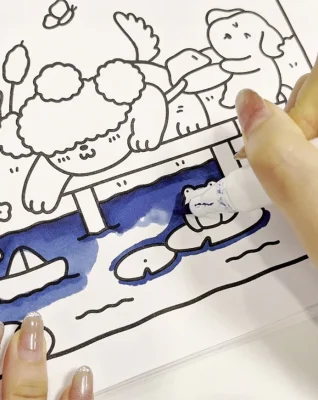
Step 1: Color the base (B290, B260, R25, V030)
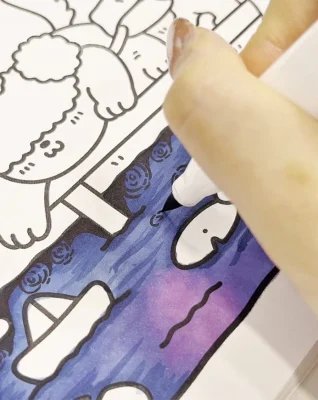
Step 2: Create a ripple effect (CG II 09)
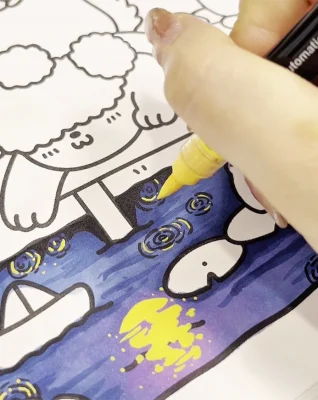
Step 3: Draw a yellow moon (Use acrylic marker)
Step 4: Add highlights (Use white gel pen)
And finish:
FAQs
Not at all. You only need a place to store the file. Once the PNG is downloaded, it stays on your device and you don’t need to log in again.
You can use them for quiet self-care moments, add them to your journal, print them as simple cards, color them on your iPad, or keep them handy for easy weekend activities with loved ones.
- Make a dedicated folder on your iPad or laptop so everything stays neat.
- Rename each file after you download it, so it’s easy to find later.
- Keep a backup in iCloud or Google Drive in case your device gets full or needs a reset.
- One simple idea: create a folder called “CocoWyo Freebies” to keep all your pages together in one cozy place.
Yes. Most printable sheets import smoothly into digital planners, including free printable Christmas coloring sheets. You can resize them, add stickers, and keep everything organized in your journal app.
Once saved, they’re yours. Our websites rotate their freebies seasonally, but your downloaded file won’t disappear from your device.
We don’t follow a strict schedule, but we usually add new freebies about twice a month. It’s always a good idea to check back now and then so you can grab the fresh ones as soon as they go up.
Most devices handle PNG coloring well. On iPhone, people often use Procreate, Goodnotes, or Adobe Fresco. On Android, apps like Ibis Paint X, Sketchbook and Medibang work smoothly. It really depends on what feels comfortable for you and how simple or detailed you like your coloring to be.